
🔍 Introduction
Office Online Server (OOS) requires HTTPS/SSL for all clients and server communications in production. Configuring a trusted SSL certificate is mandatory before creating the Office Web Apps farm.

Error: No Server Certificates.
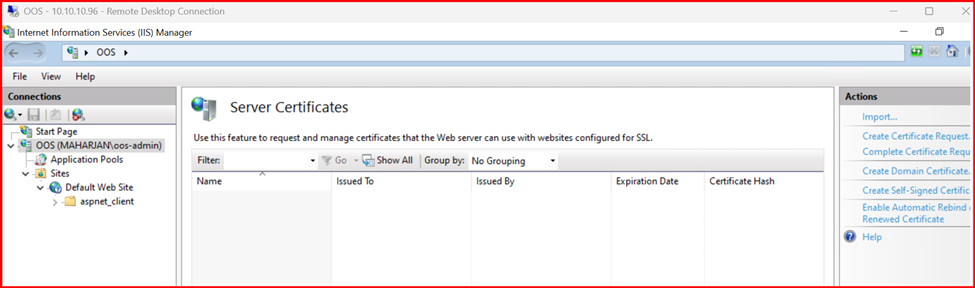
This guide explains how to install and bind an SSL certificate to OOS step by step.
🔧 Prerequisites
Before starting:
- OOS should be installed but not yet configured.
- You must have an SSL certificate in .pfx format (with private key) issued by a trusted Certificate Authority (CA).
- The FQDN (e.g., oos.yourdomain.com) used in the certificate must point to your OOS server IP.
Requesting Certificate for Office Online server
I am deploying this scenario for internal purpose only so my OOS certificate will be issued via Internal CA server and i will show the process for requesting Certificate from CA Server. But if you are configuring for External/ Internet facing solution, you must need Public SSL Certificate (either wildcard or SAN SSL).
1. Create Certificate Request from CA server:
Open IIS Manager, Click on Server Certificate and Create Certificate Request. Fill the required information and click Next,
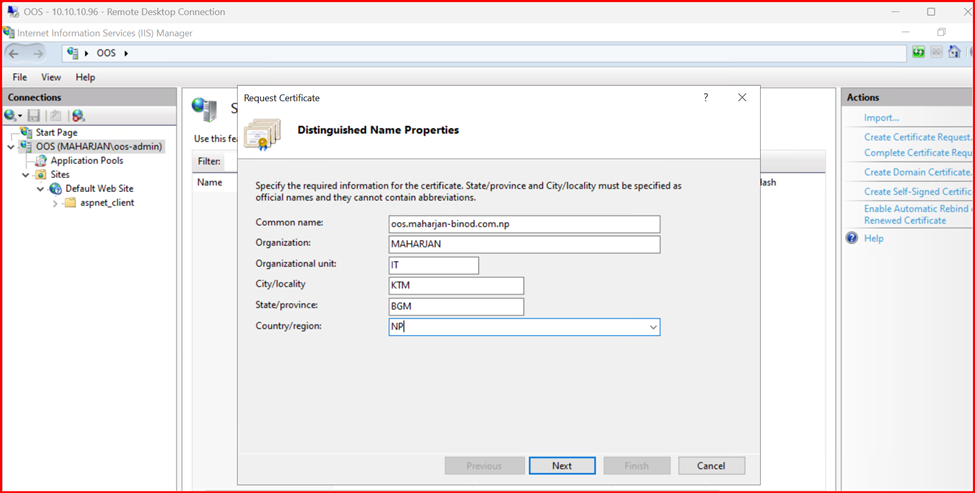
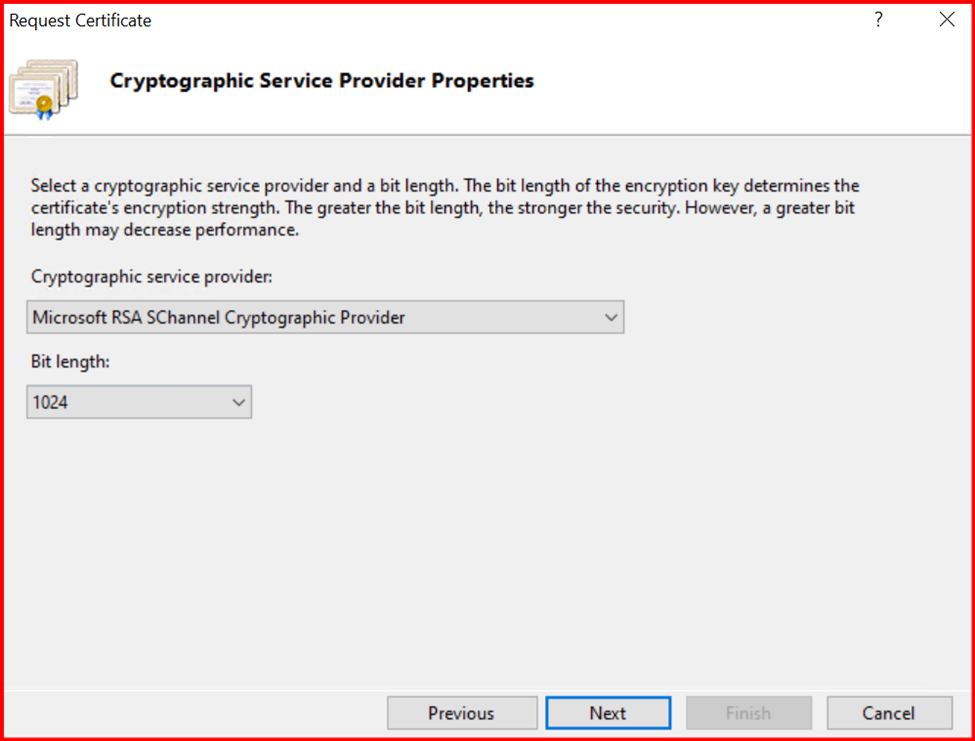
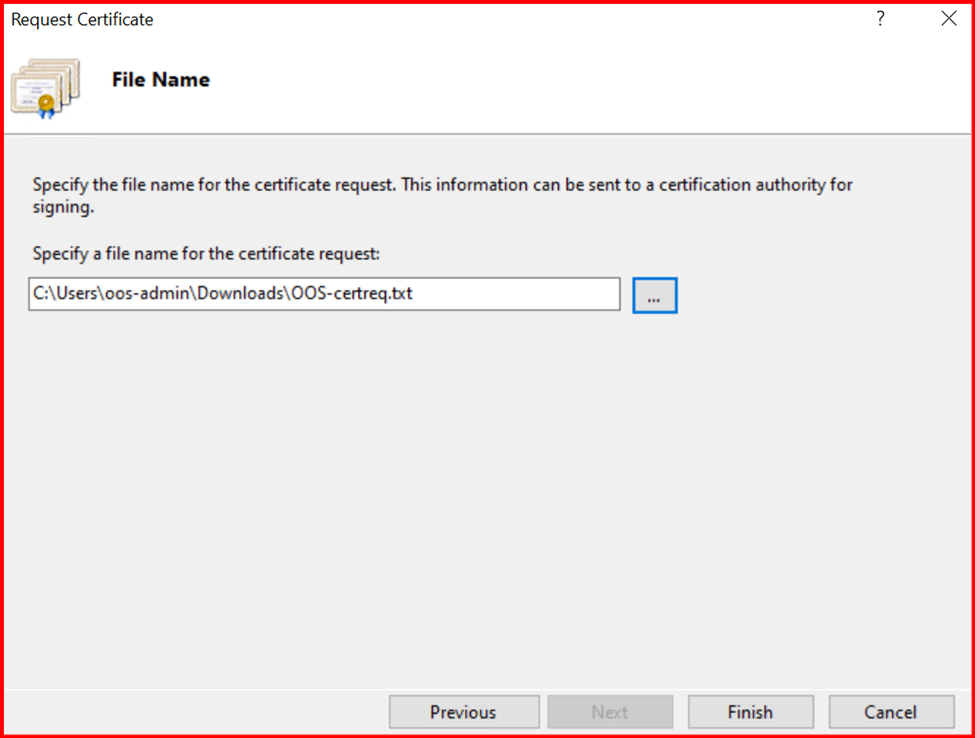
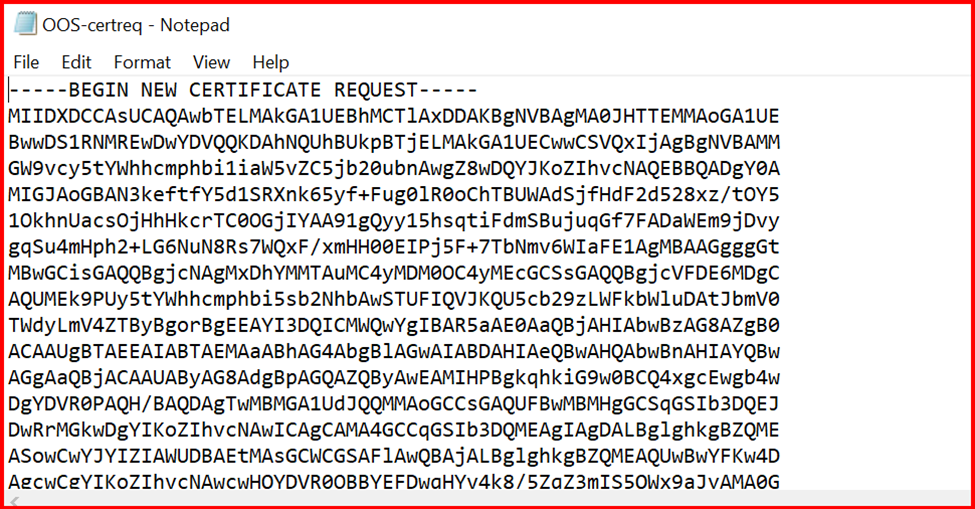
2. Request to generate Self signed certificate from internal CA server.
To generate Self Signed certificate, CA Server must be installed as pre-requisite which i have not covered in this section.
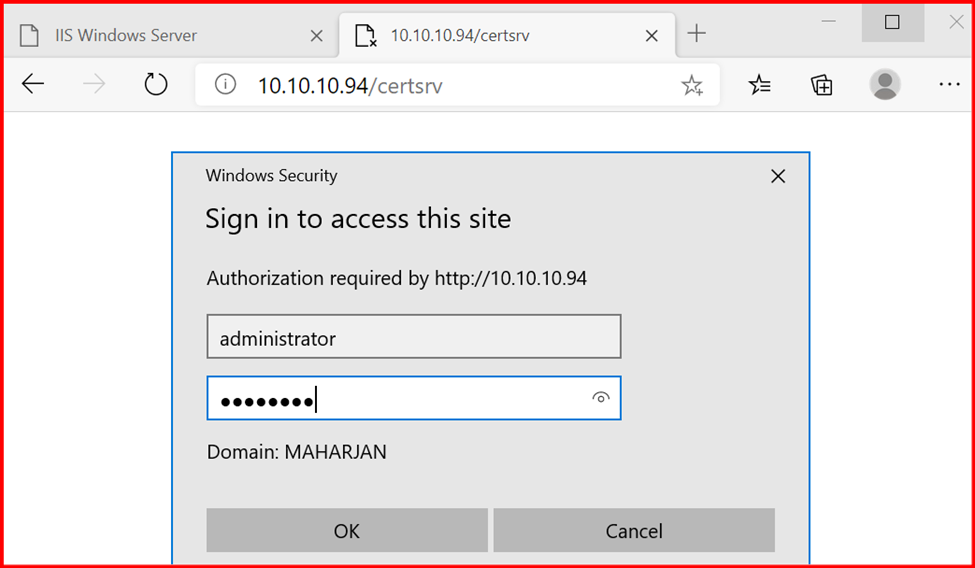
Login CA server as shown below:
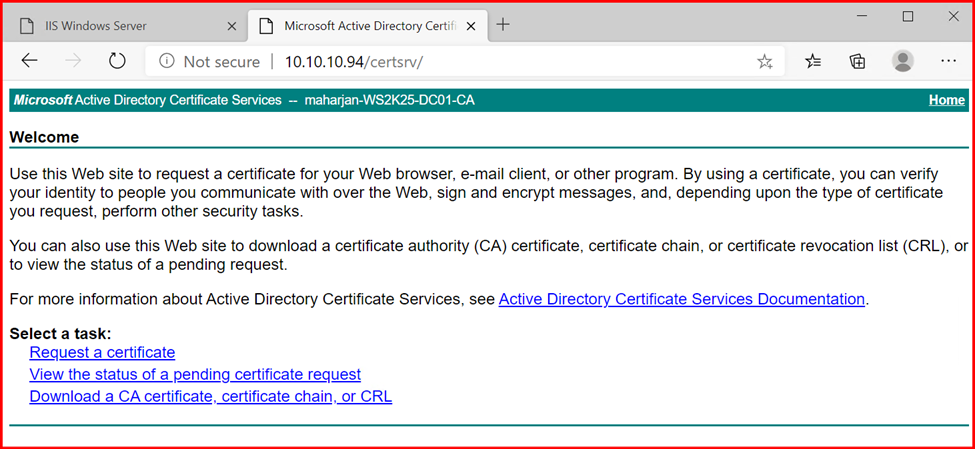
Click on Request a certificate:
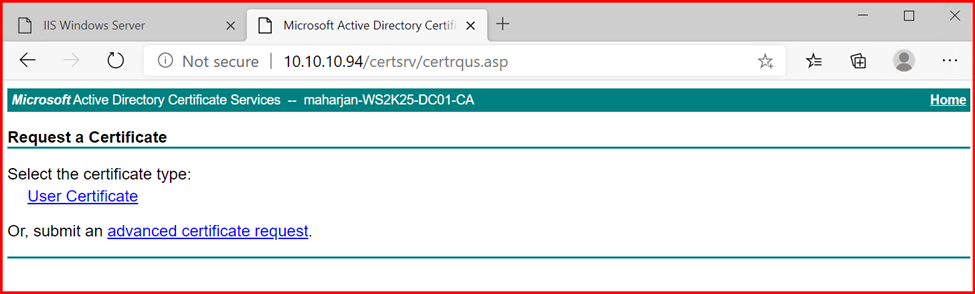
Click on Advanced certificate request.
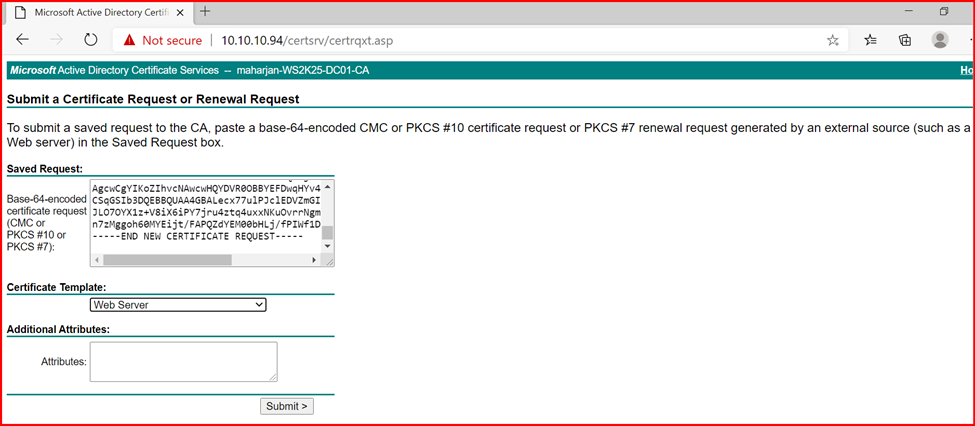
Copy paste the previous generated CSR content. Select the certificate template as Web server and submit.
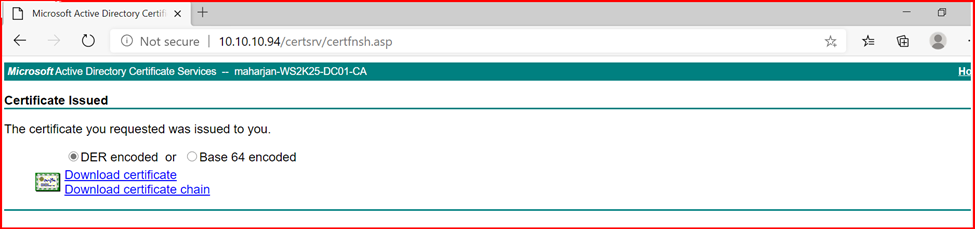
Download both certificate.

3. Complete Certificate Request:
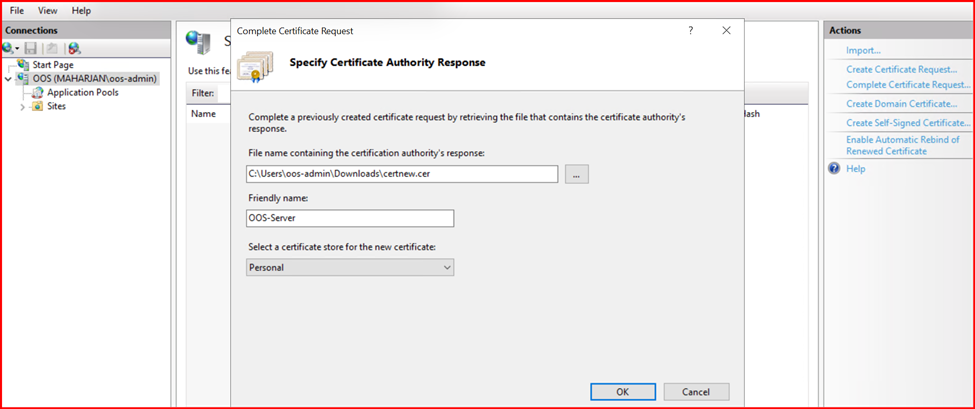
Click on Complete Certificate request then locates the downloaded certificate path. Type friendly name and ok.
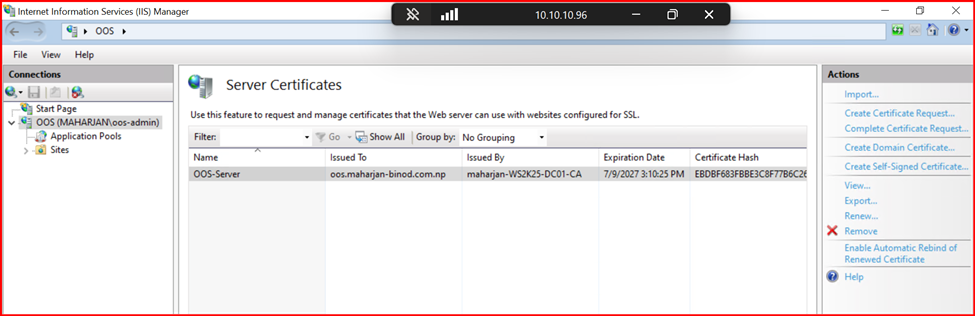
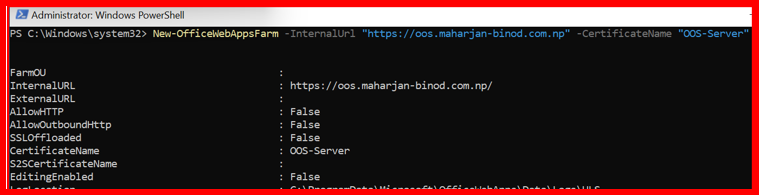
Now I can create an OfficeWebAppsFarm using below command.
New-OfficeWebAppsFarm -InternalUrl "https://oos.maharjan-binod.com.np" -CertificateName "OOS-Server"
Note: CertificateName parameter is required.
Import the SSL Certificate
If you are using Public SSL Certificate, then you can directly import SSL Certificate into Servers.
Open MMC (Microsoft Management Console):
- Run mmc.exe from Start > Run.
- Go to File > Add/Remove Snap-in.
- Add Certificates for Computer account > Local computer.
- Under Personal > Certificates, right-click > All Tasks > Import.
- Select your .pfx file and provide the private key password.
- Complete the wizard.
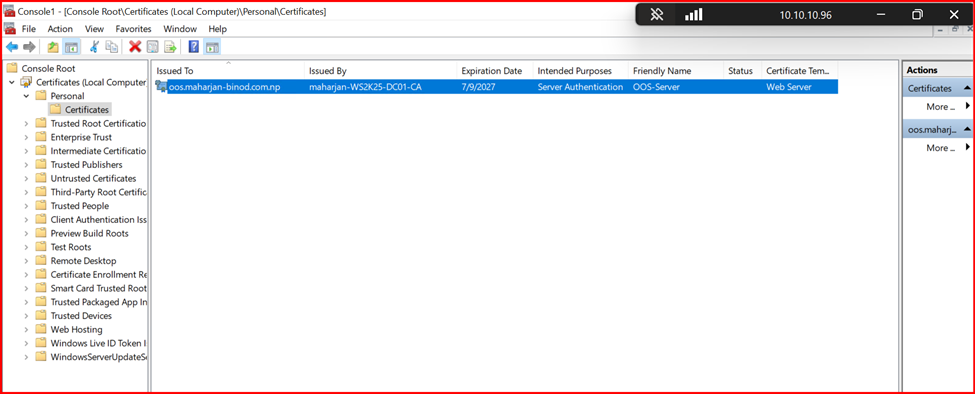
✅ After import, confirm the certificate appears under Personal > Certificates.
What you need to know?
After having SSL Certificate for Office Online Server (OOS), Certificate plays main roles, if it goes incorrect or misconfigured, you cannot succeed your goal and cannot preview documents online. so, recheck your configuration again with below points:
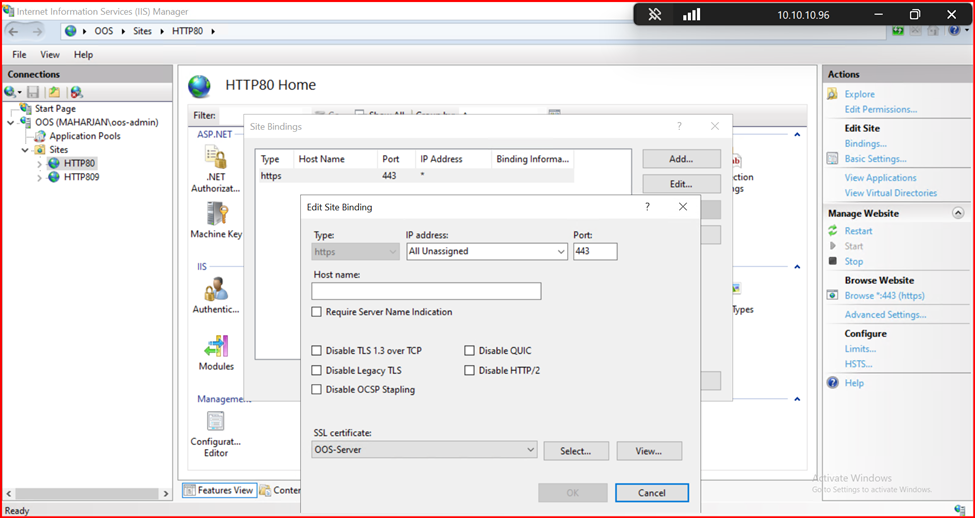
✅ Step 1: Bind SSL Certificate in IIS
Although OOS uses its own farm config, you must ensure the HTTPS binding exists in IIS:
- Open IIS Manager > Sites > Default Web Site.
- Click Bindings > Add > choose:
- Type: https
- IP: All Unassigned
- Port: 443
- Hostname: oos.yourdomain.com
- Select the correct SSL certificate
- Click OK.
✅ Step 2: DNS Resolution
DNS always be a part of resolving the any addresses without, it we cannot preview or browse url. OOS configuration is tested via Discovery URL: https://oos.yourdomain.com/hosting/discovery
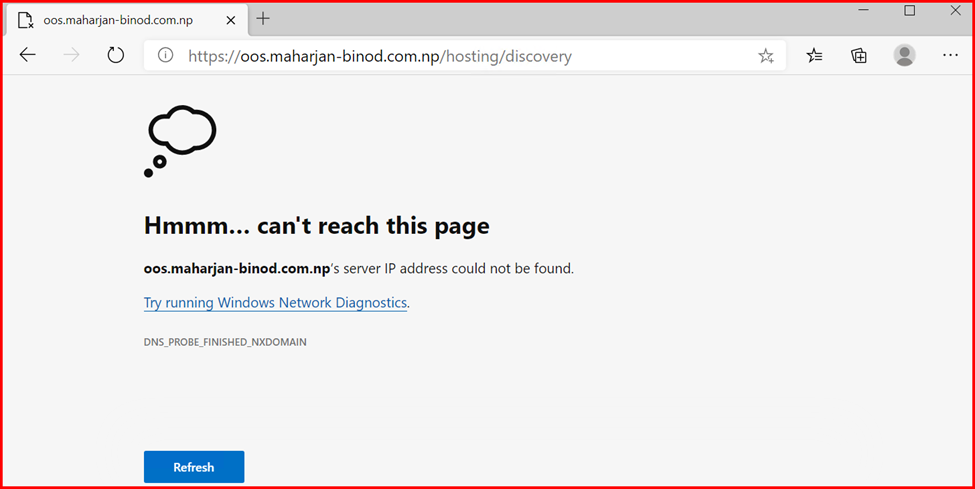
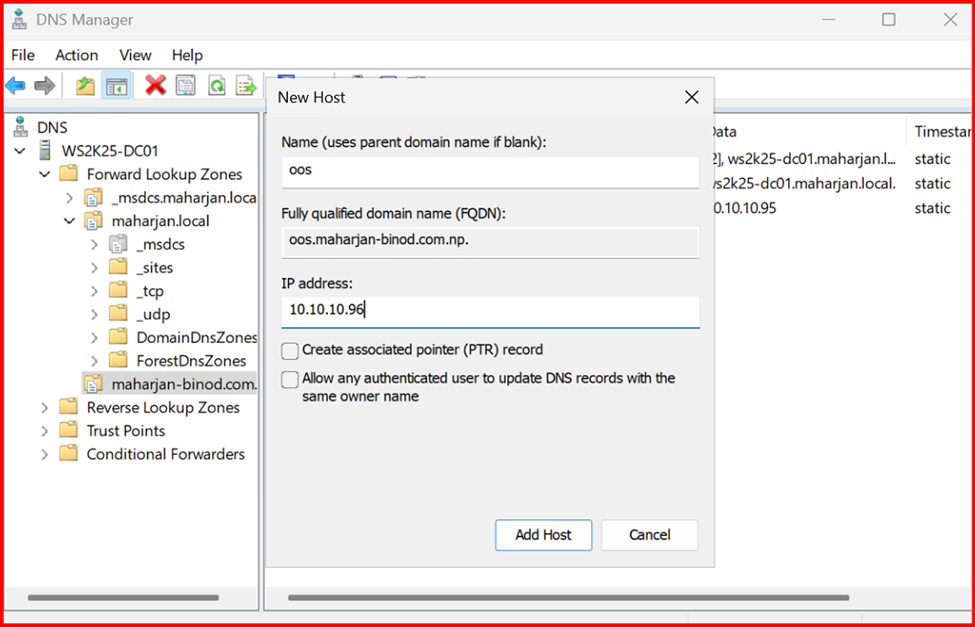
Create a DNS record to resolve this issue:
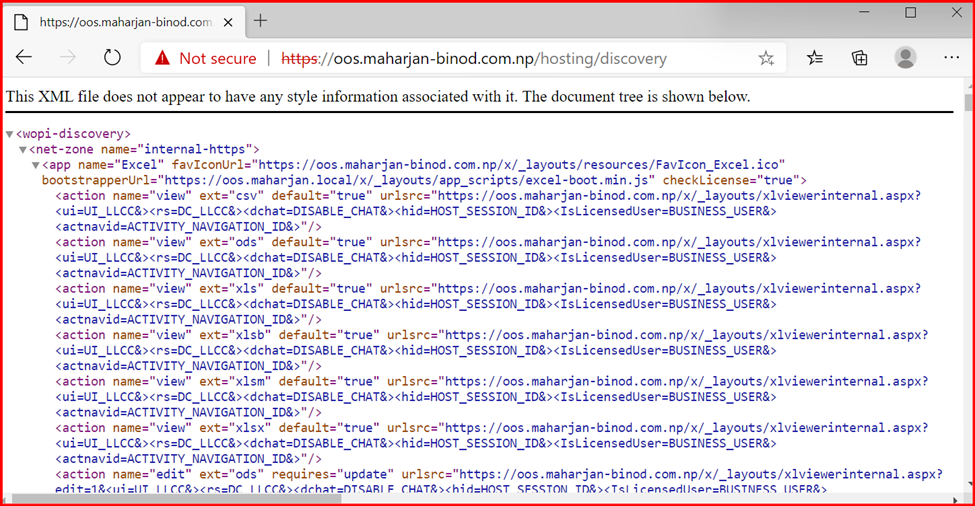
Note: You should see an XML page. If yes, SSL is properly configured, and OOS is operational.

Leave a Reply to hi88 Cancel reply